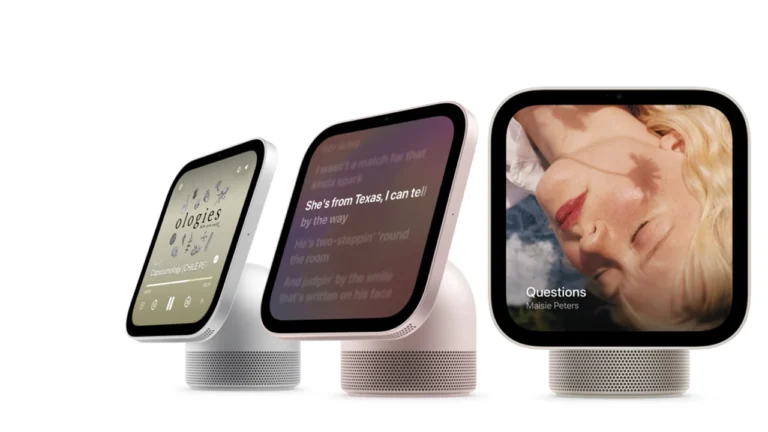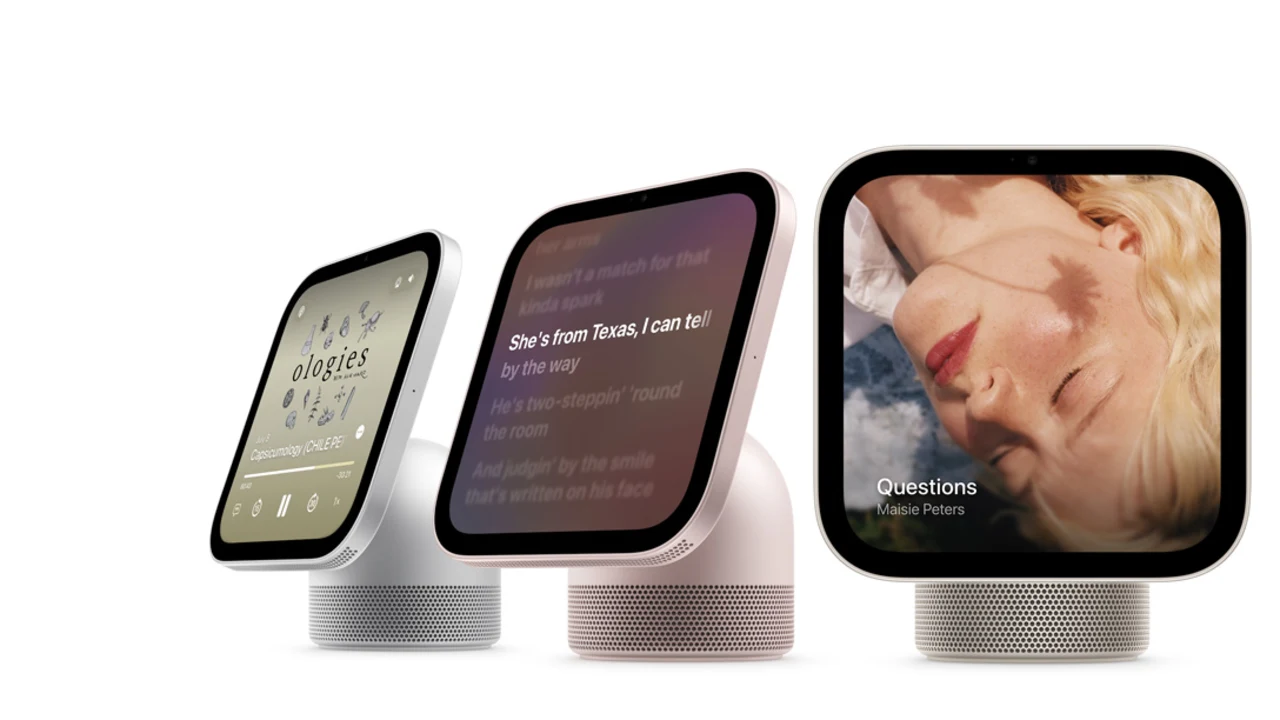
Apple finally has a smart display. After a decade of watching Amazon and Google fill every kitchen counter in America, the company just announced the Apple HomeView, a square 7-inch screen with a speaker base, a camera and a brand new Siri to run it all.
It is $299, you can pre-order it today and it ships November 13. We have been following the leaks for months, so here is what is actually confirmed, what it does for your smart home, and the catches Apple tucked into the footnotes.
Quick answer
- Price: $299 for the tabletop model and $299 for the wall-mounted one. Wall mounts are extra.
- Release: pre-orders opened October 13 and it ships November 13.
- What it is: a 7-inch display with an A18 chip, Siri AI, a 12MP FaceTime camera, Thread and the Home app built in.
- The catch: the full experience needs a recent iPhone or iPad, Siri AI starts in English only, and HomeView is not sold in the EU.
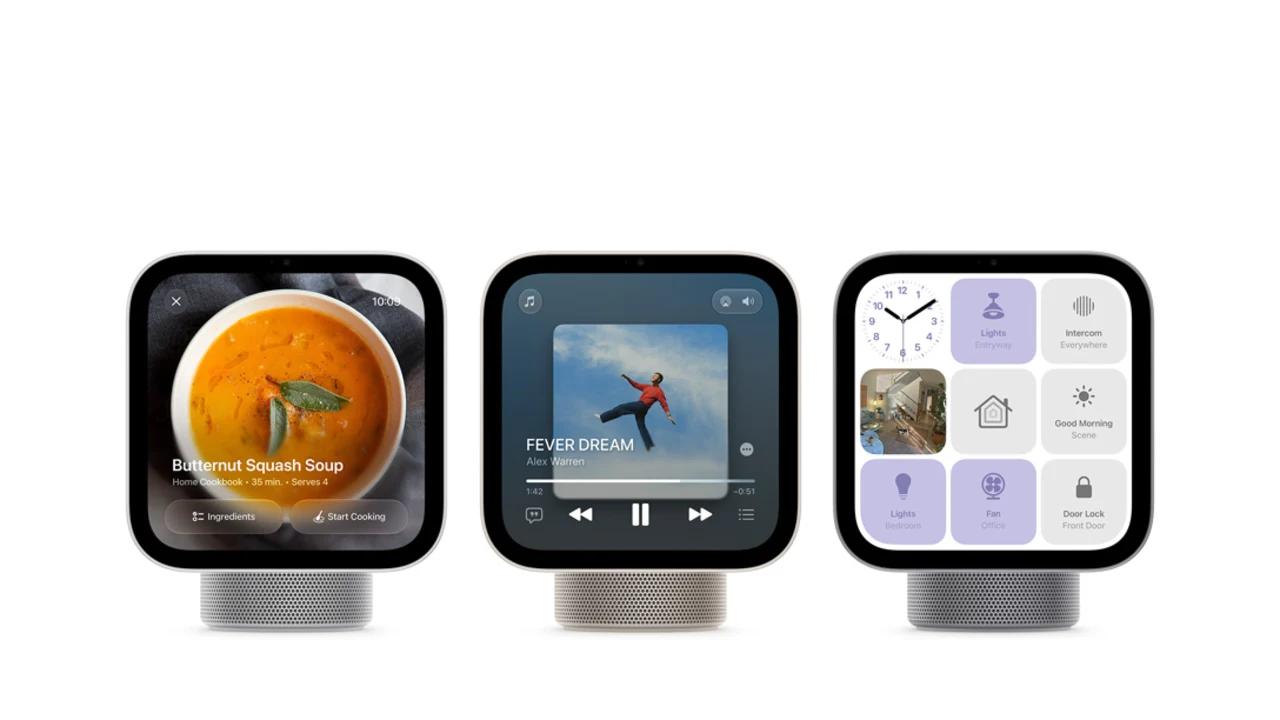
Image Credit: Apple
What Is Apple HomeView?
Think of it as Apple’s answer to the Echo Show and the Nest Hub, built around Siri AI instead of Alexa or Gemini. It sits on a counter, a nightstand or a side table, and it does the usual smart display jobs: music, timers, recipes, video calls and a touch screen for your smart home. Apple’s own pitch is that it is the new heart of your home.
What makes it different is who it talks to. HomeView can recognize up to six people by face and voice, and it shows each person their own stuff, like calendar and messages. Guests can still use it for the basics, but your personal content only appears when it recognizes you.
Price, Release Date and Colors
Here is the quick version.
| Model | Price | Colors | Good to know |
|---|---|---|---|
| HomeView (tabletop) | $299 | Silver, starlight, rose pink, space gray | Speaker base included, plus a USB-C cable and 30W adapter |
| HomeView (Wall Mounted) | $299 | Silver, space gray | No speaker base, and the mount and power adapter are sold separately |
Apple opened pre-orders on October 13, and both models ship on November 13. Early reports put the wall mounts at $59 for USB-C power, $79 for wired AC and $129 for PoE, so the wall-mounted version will cost you more than $299 once you add the mount. Apple’s HomeView page has the full details if you want to double check before ordering.
Specs at a Glance
| Spec | What you get |
|---|---|
| Display | 7-inch Liquid Retina, 1088 by 1088 pixels, up to 500 nits, True Tone |
| Chip | Apple A18 |
| Camera | 12MP with Center Stage |
| Sound (tabletop) | Two full-range drivers, a down-firing woofer and two passive radiators, with Spatial Audio |
| Wireless | Wi-Fi 6E, Bluetooth 6.0 and Thread |
| Power | USB-C, wired only, no battery |
| Weight | 2.1 lb for the tabletop model, 0.63 lb for the wall-mounted one |
| Needs | An iPhone or iPad on iOS or iPadOS 27.2 or later |
Two things stand out. The screen is square, which is great for faces and widgets and a bit odd for video. And there is no battery, so this is a stay-where-you-put-it device, not something to carry around the house.
Siri AI and the iPhone Catch
Siri AI is the whole point of HomeView. It runs on the A18 chip and Apple Intelligence, and it can pull up things like a party invite from your calendar or RSVPs buried in your messages. Apple says private requests go through its Private Cloud Compute, and the camera and microphone feeds for recognizing you are handled in a secure compartment of the chip that the operating system cannot reach.
Here is the catch. For the personal stuff to work, HomeView needs your Apple Intelligence-compatible iPhone or iPad nearby, on the same Wi-Fi and recently unlocked. If nobody in your home has a recent iPhone, you are buying a much less interesting display. Siri AI also starts in English only.
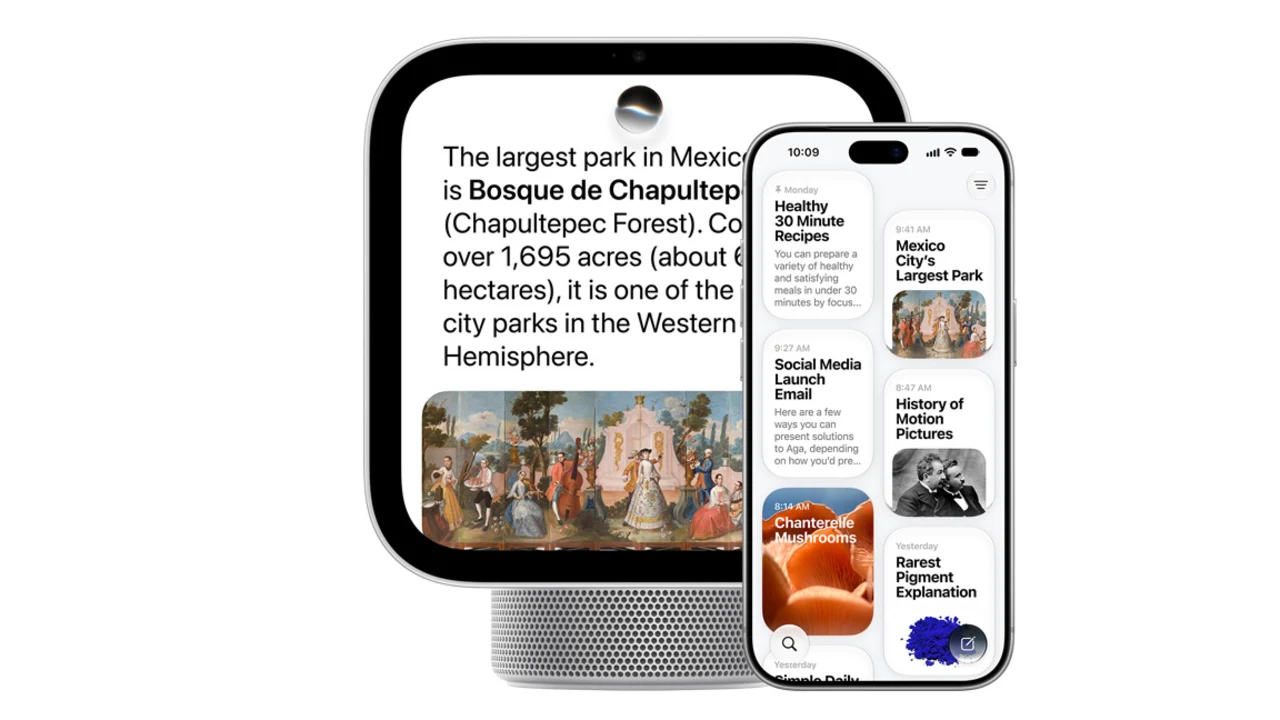
Image Credit: Apple
Faces, Recipes and Everyday Stuff
HomeView uses customizable faces, a bit like a watch face for your counter. You can pick a photo gallery, a calendar, the weather, a Snoopy face, or the Flow face that reacts to your movement. Some change throughout the day, so they wake up with you in the morning and calm down at night.
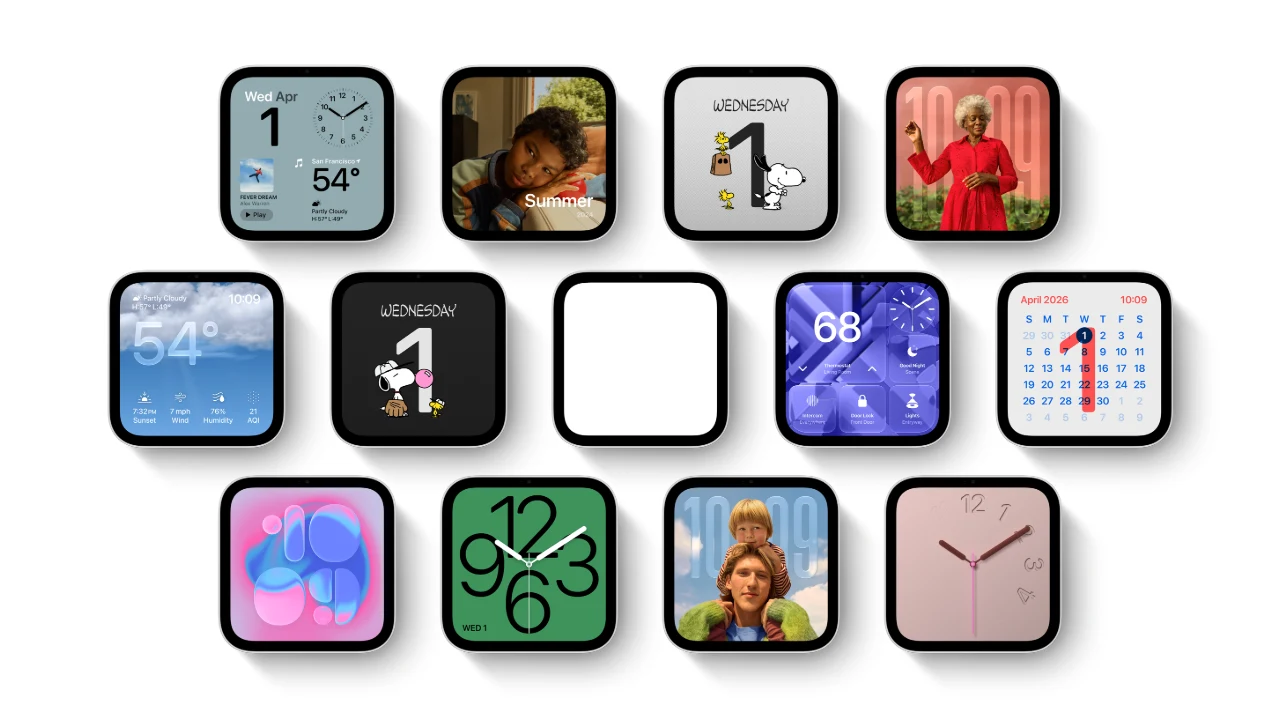
Image Credit: Apple
The everyday features are the kind you will actually use. Tap Start Cooking on a recipe in Safari and you get a clean step-by-step view. Handoff lets you start a song, call or recipe on your iPhone and continue on the display. Timers show up as Live Activities on your phone. You can also run Intercom between HomeView and your HomePods, and use AirPlay for multiroom audio with HomePod, Apple TV 4K and compatible speakers.
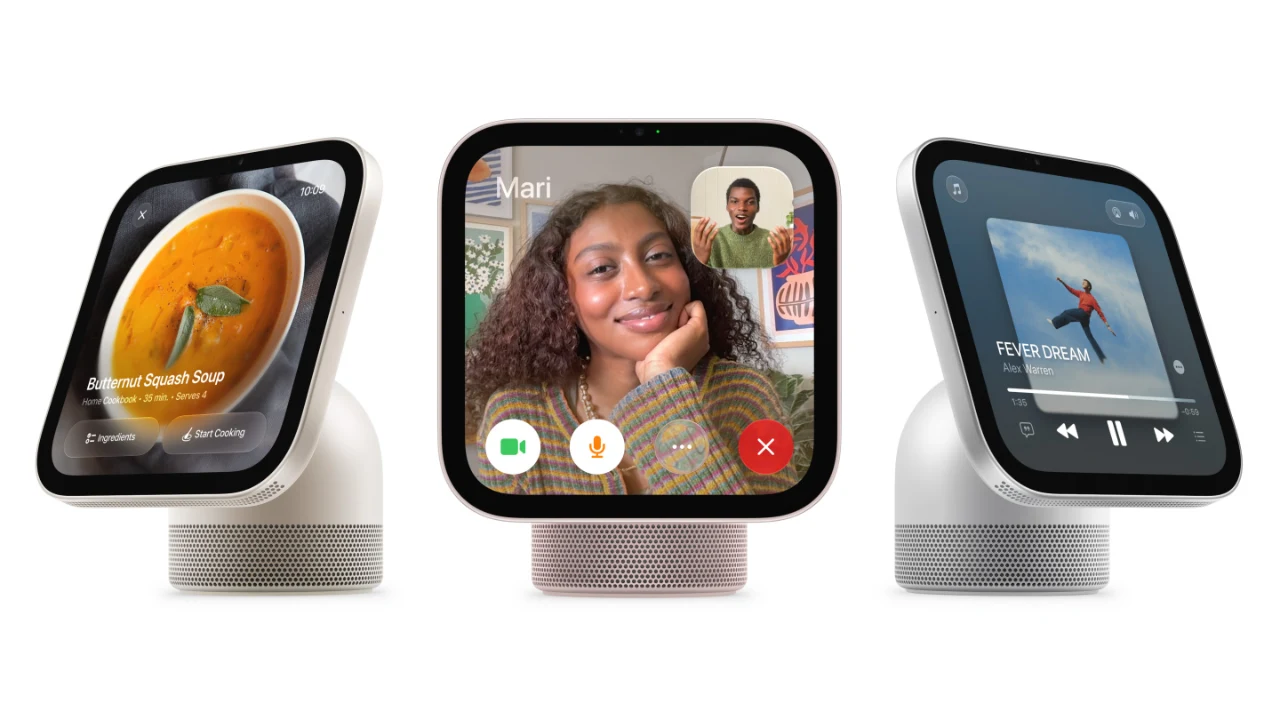
Image Credit: Apple
Video calls get the Center Stage treatment, so everyone stays in frame as they move around the kitchen. There are also four microphones, which is good news if your kitchen is loud.

Image Credit: Apple
How It Works as a Smart Home Hub
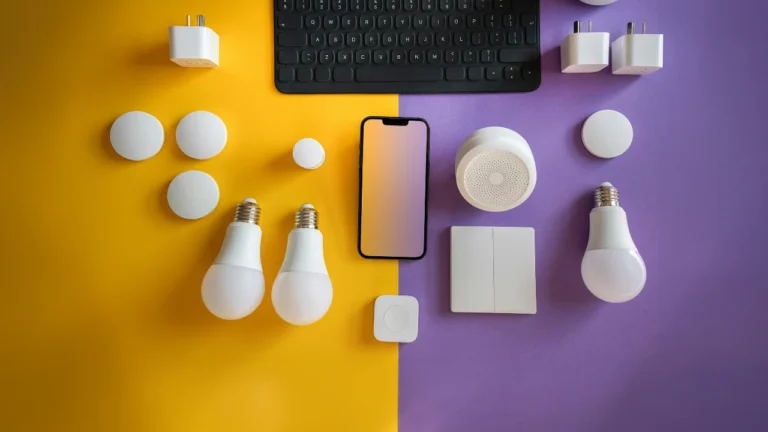
This is the part SmartCorgi readers care about. The Home app is built in and synced with your other Apple devices. You can check who is at the door, watch up to nine camera feeds at once on the Home Camera face and control lights, locks and the thermostat from the Home Modular face. HomeView can also listen for your smoke and carbon monoxide alarms and send an alert to your iPhone, iPad or Apple Watch.
On the radio side, Apple lists Wi-Fi 6E, Bluetooth 6.0 and Thread. That matters because Thread is what newer sensors, locks and plugs use. Apple’s page does not spell out border router duties, but every other Apple home hub does that job, so we expect it. We would wait for confirmation before you rely on it, and if you need a refresher, our guide to what Thread is and why your smart home wants it covers the basics. One more thing: the spec page lists no Zigbee. If your home runs on Zigbee gear, you will still need a hub that speaks it.
There is also a cost to keep an eye on. Early coverage reports that the nicer AI video descriptions for your cameras need a HomeView plus a 2TB iCloud+ plan. We already dug into what that adds up to in our piece on Apple Home AI summaries and their steep price.
The Wall-Mounted Version
The wall-mounted HomeView drops the speaker base and the weight, and turns the screen into a smart home control panel. It has two custom speakers tuned for sitting on a wall, comes in silver and space gray, and needs a mount, a USB-C cable and at least a 20W adapter, which are all sold separately. If you wanted something like a Home Assistant wall tablet but with Apple polish, this is the one to watch.
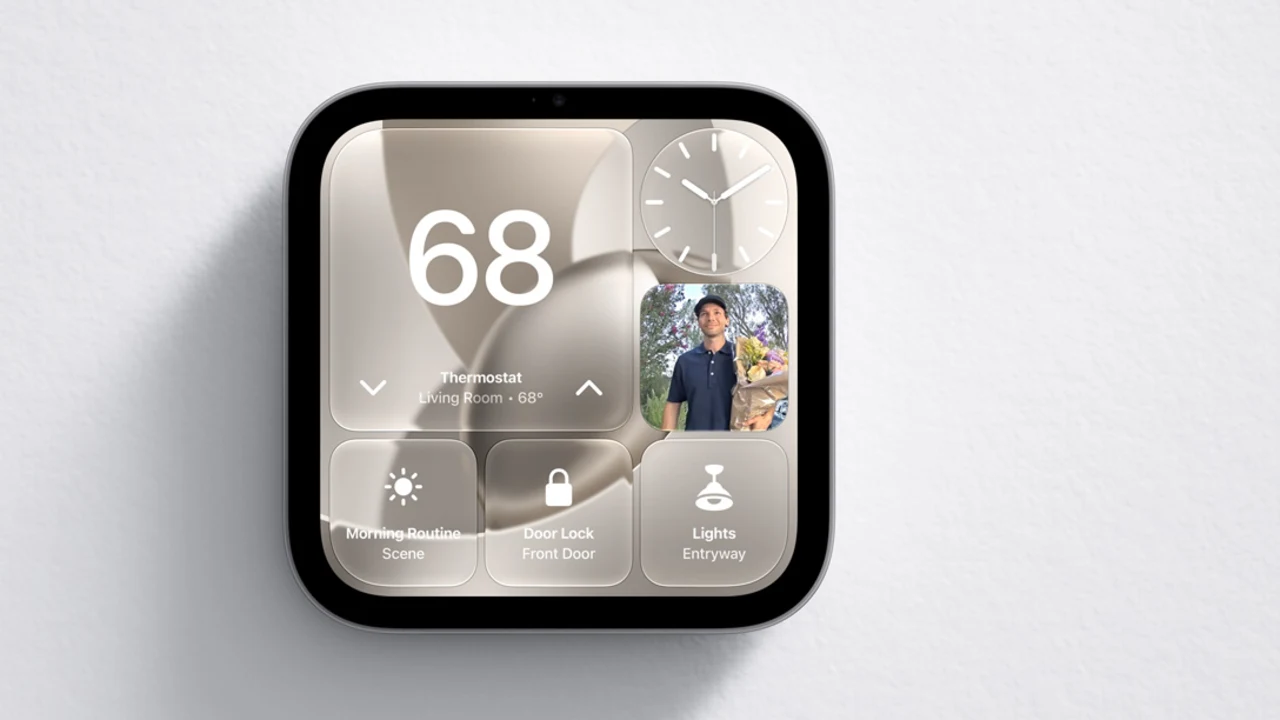
Image Credit: Apple
We have also seen the leaks that pointed to a camera-based Face ID-style feature, and this is it. Our earlier look at the Apple home hub leaks called the face recognition part correctly.
Apple Home Collection: The Gear That Goes With It
Apple is also launching a line of Apple Home Collection devices made with partners like LG and Schneider Electric. That includes cameras, a video doorbell, a door lock and thermostats. Early reports put them at roughly $199 to $349, and they set up with an iPhone card, a bit like pairing AirPods. Apple says they are coming later, and some will not arrive until early 2027. They are available in the US, Canada and the UK, and a few items are US and Canada only.
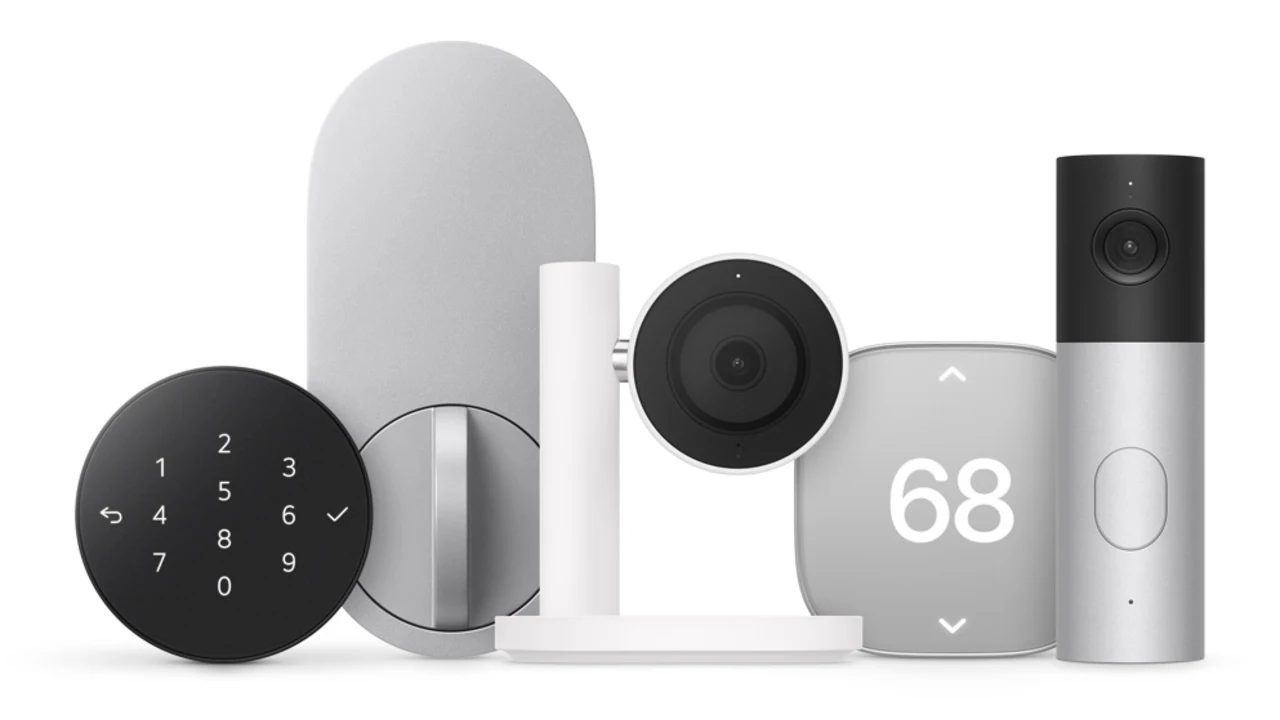
Image Credit: Apple
How It Compares to Echo Show and Nest Hub
At $299, HomeView costs more than Amazon’s Echo Hub and Echo Show 11, which usually land somewhere around $180 to $250 depending on the day. Amazon’s displays also list Zigbee, which HomeView does not. What you get for the extra money is Apple’s privacy pitch, tight iPhone integration and the new Siri. If you already live in the Apple world, that may be worth it. If your household is a mix of iPhone and Android, an Echo Show or a Nest display will probably fit better.
Should You Pre-Order or Wait?
Our take: this one looks promising, but hands-on reviews are not out yet, so a pre-order is a bet. It makes sense if everyone in your home uses a recent iPhone, you are happy with English-only Siri AI, and you want a smart display with solid Apple Home support. We would wait if your household has Android phones, if you rely on Zigbee gear, or if you just want a smart speaker.
If you only want an Apple speaker for the kitchen, the HomePod mini 2 is $149 in the US and arrives October 30. And if what you really want is the new Apple TV 4K, that ships November 13 at $299.
A Quick Note for Readers in Europe
If you are reading this from the EU, the news is not great. Apple says HomeView is not available for sale in the European Union because Siri AI is not available in iOS there, and that it is working with the EU to find a path forward. There is no timeline yet. The Home Collection accessories list no EU availability either. Apple is selling HomeView in the US, UK, Canada, Australia, New Zealand and India, with Singapore and South Africa following.
For everyone in the US, the next step is simple. Wait for the first reviews if you can, and we will update this guide once we have more.