The box says “no monthly fee”. Then you spot the tiny asterisk. If that sounds familiar, you have shopped for a security camera before.
So we went through eufy’s own pages and a handful of reviews to find out what the eufyCam S4 does if you never pay eufy anything after checkout. Good news first: almost everything works.
Quick answer
- Subscription needed? No. Live view, recording, alerts and auto tracking all run on the camera itself.
- What costs extra: optional cloud backup, from $3.99 a month. Skip it and nothing breaks.
- What needs a hub: face recognition and cross-camera tracking need the HomeBase S380, which is a one-time purchase.
- Price: $299.99 for a single camera in the US.
What the S4 Actually Is
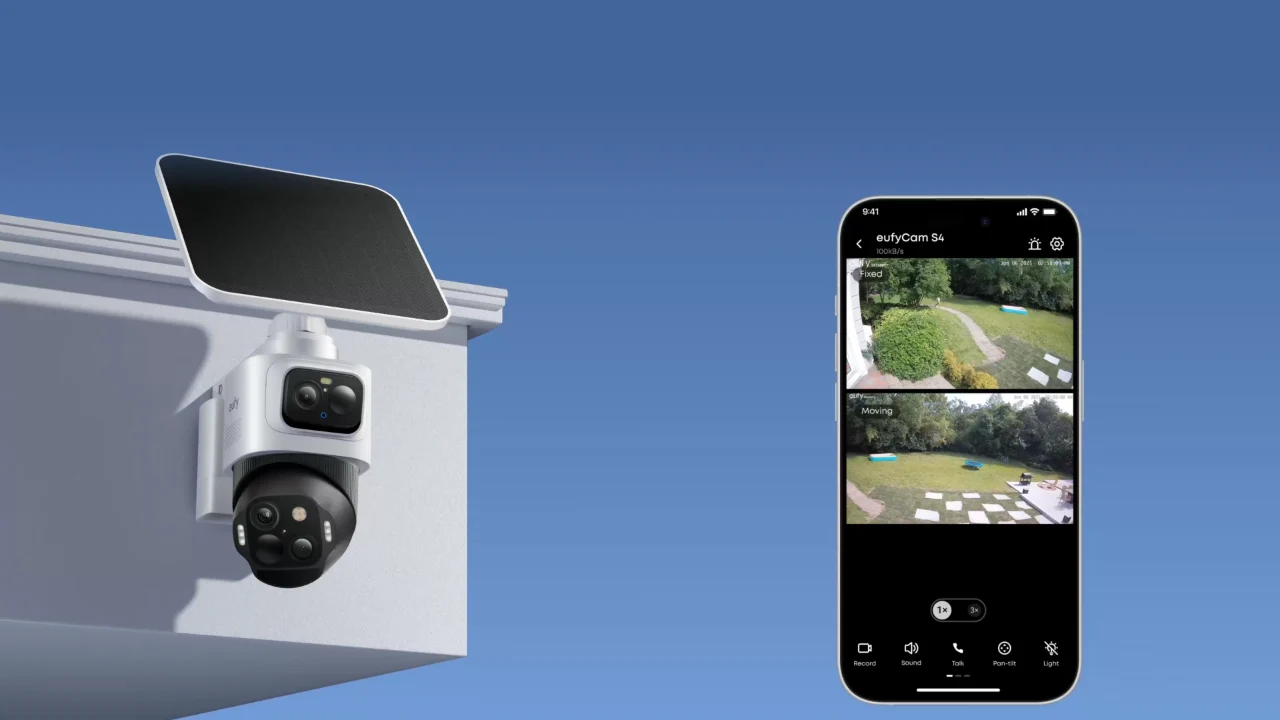
Think of it as two cameras stacked in one body, with three lenses between them, plus a solar panel. The top camera is fixed, shoots in 4K and has a wide 130 degree view. The bottom one pans, tilts and zooms up to 8x, and it can see all the way around. A 10,000mAh battery and a detachable solar panel keep it running.
The trick is how they team up. The top lens spots someone, the bottom lens follows them, and you get the wide shot and a close-up at the same time.
What You Get for Free
Open the eufy app and you can watch live, swipe to pan and zoom, and talk through the camera. Handy for telling the delivery driver where to leave the package.
Recordings save on the camera. It has 32GB built in, and you can go up to 256GB with a microSD card, though the card is not in the box.
A radar and motion sensor wakes the camera, and AI on the camera tells people, vehicles and pets apart. That means a car driving past does not buzz your phone like a break-in. You can also draw activity zones and set schedules, so the neighbor’s driveway stops setting it off.
Alerts come with a small preview picture. That picture passes through eufy’s cloud for a moment on its way to your phone. If that bothers you, turn notifications off and check the app instead.
Solar charging costs nothing either, and it handles normal daylight just fine.
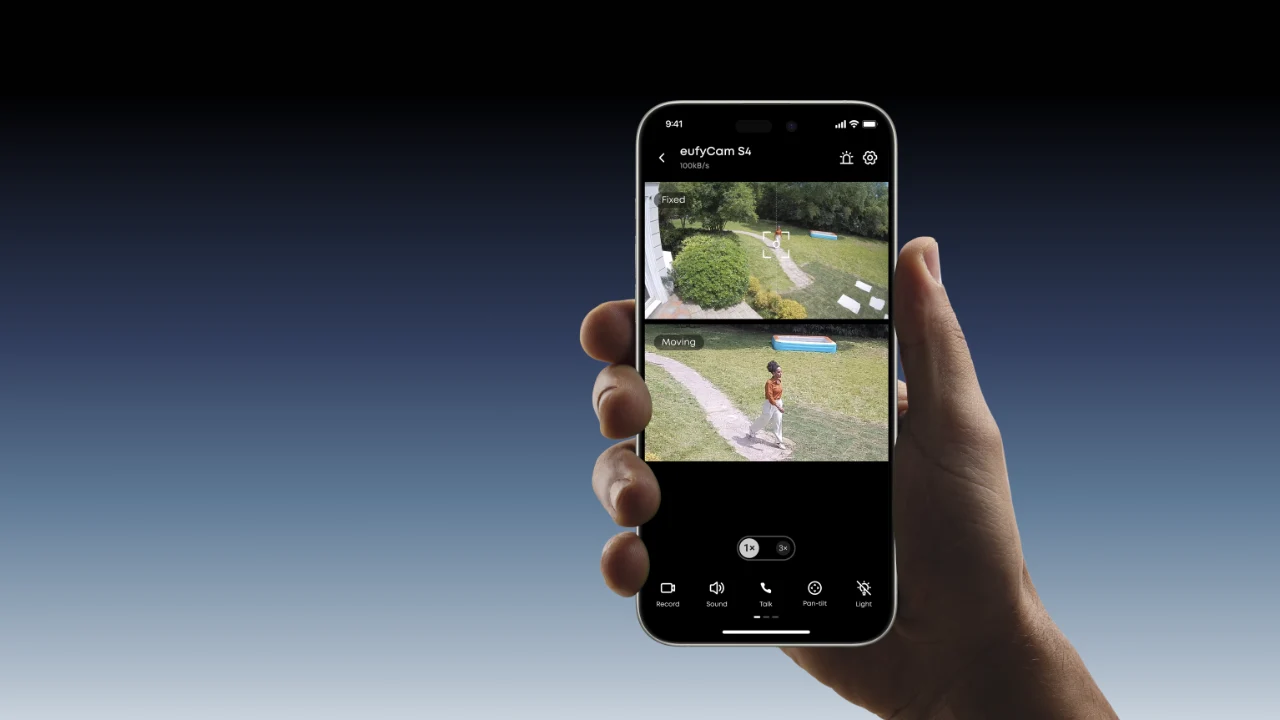
Image Credit: eufy
What You Do Not Get (Unless You Spend Elsewhere)
A few features sit behind extra hardware instead of a subscription. Here is the list.
| Feature | What it needs |
|---|---|
| Face recognition | HomeBase S380 |
| Cross-camera tracking | HomeBase S380 |
| Storage beyond 256GB (up to 16TB) | HomeBase S380 plus a hard drive |
| 24/7 continuous recording | Wired power (the cable is sold separately) |
| Off-site copies of clips | eufy Cloud Backup (paid, see below) |
Everything except the last row is a one-time purchase. The HomeBase S380 is the little white hub in the picture below. It adds the smarter AI and lets you record to a big drive.
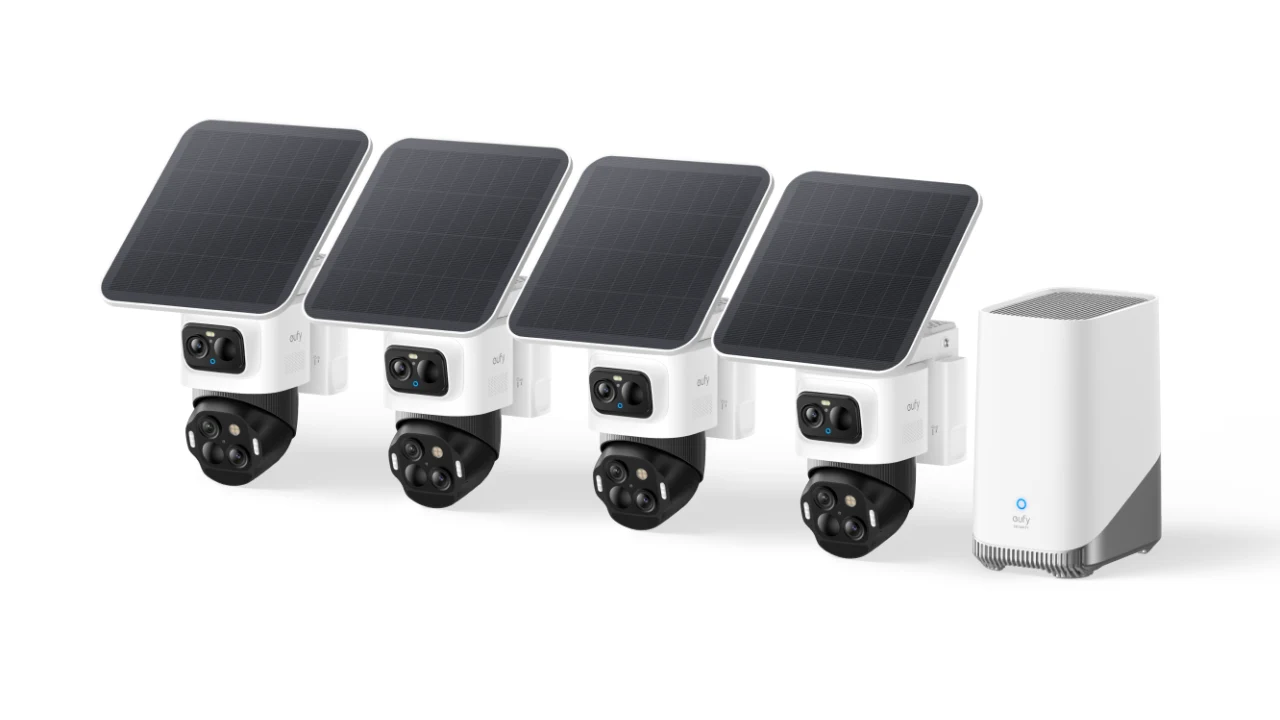
Image Credit: eufy
The One Monthly Cost: Cloud Backup
eufy Cloud Backup stores your event videos off-site for 30 days, so you still have the clip if someone steals the camera or it goes offline. Basic costs $3.99 a month for one device. A yearly plan for two devices is $79.99, and ten devices on a monthly plan is $13.99.
On one camera that comes to about $144 over three years, nearly half the price of the camera. Honestly, most people can skip it. Your footage already lives on the camera, so the main reason to pay is worry about theft.
What It Really Costs
| Setup | Upfront | Monthly | Good for |
|---|---|---|---|
| One S4 and a microSD card | $299.99 plus the card | $0 | One door or driveway |
| S4 and HomeBase S380 | $299.99 plus the hub | $0 | Face recognition and several cameras |
| S4 and Cloud Backup | $299.99 | $3.99 | Off-site copies of clips |
Hub pricing depends on the bundle, so check eufy’s store for the current number before you decide.
A Few Honest Caveats
Nothing here is a dealbreaker, but we would want to know before buying.
- Reviewers say live view can take a few seconds to load in the app.
- It is a big camera, and the solar panel adds to it, so check your mounting spot before you order.
- eufy lists Alexa and Google Assistant for the S4 and says nothing about HomeKit or Matter. If you like keeping things local, our piece on the local-first smart home explains why that matters.
- eufy’s pages show different built-in storage for the single camera and the kits, so check the number for the exact bundle you buy.
- Cameras are best kept away from your laptop and other devices. Our guide to isolating smart devices on a guest network shows how.
So, Should You Buy It?
If you want one or two cameras, no monthly bill and alerts that are not dumb, yes. It is a very good fit for a front door or a driveway.
If you want continuous recording on solar power alone, or you live in a HomeKit household, look elsewhere. And if dodging subscriptions is the whole point, our rundown of hidden smart home fees shows where else they hide.
Quick Questions
Does the eufyCam S4 need a subscription?
No. eufy says full functionality comes with no monthly fee, and that optional or premium features may need a plan. In practice, the only paid extra we found is Cloud Backup.
Do I need the HomeBase?
Only if you want face recognition, cross-camera tracking or more than 256GB of storage. The camera works fine on its own.
Where does my footage live?
On the camera, or on a HomeBase if you add one. The cloud only gets involved if you pay for backup, plus those short-lived alert previews.
Can it record around the clock?
Only when it is plugged into wired power. On solar and battery it records events.
What if I never pay for cloud?
Nothing on the free list stops working. You just do not get an off-site copy.