

Digging through your bag for your house keys while holding armfuls of groceries is a daily annoyance. Fortunately, if you are invested in the Apple ecosystem, you can completely eliminate physical keys from your life. Apple Home Keys technology transforms your iPhone and Apple Watch into a highly secure, digital house key that unlocks your front door with a simple tap.
How NFC Replaces Your Physical Keys
Unlike older smart locks that force you to open an app or wait for a slow Bluetooth connection, Apple Home Keys use Near Field Communication, or NFC. This is the exact same technology that allows you to tap your phone at a cash register to pay for coffee.
When you install a compatible smart lock, such as the Schlage Encode Plus or the Aqara U100 Smart Lock, you simply add a digital key to your Apple Wallet. You do not even need to unlock your phone screen; just bring your device close to the keypad, and the door unlocks almost immediately.
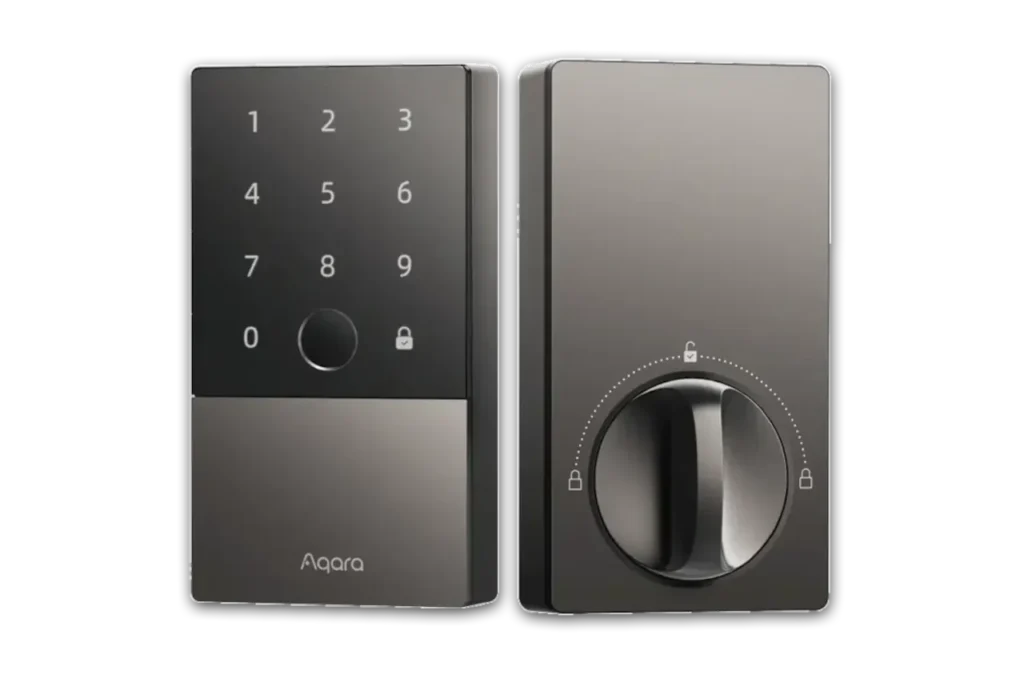
Image Credit: Aqara
What Happens If Your Phone Battery Dies?
One of the biggest worries about relying on a digital key is getting locked out if your phone runs out of power. Apple planned for this exact scenario.
Home Keys utilize a feature called Power Reserve. Even after your iPhone shuts down from a dead battery, the ultra-low-power NFC chip retains just enough energy to transmit your digital key for up to five hours. This ensures you can still get inside your house safely. If you are worried about the lock itself losing power, keeping an eye on your hardware is important. You can manage this easily by reading our guide on how to stop smart lock battery drain to ensure your door always has enough juice.
Secure Access for the Whole Family
Managing physical keys for every family member is a massive hassle. With Apple Home Keys, you can issue digital keys directly through the Apple Home application.
You can easily share these keys with your spouse or children, ensuring everyone has reliable access. If you are going out of town and need to let someone water your plants, you can also manage temporary access. Check out our guide on how to share smart home access safely to grant app permissions without handing over permanent control of your front door.
Choosing the Right Hardware
To get started with this seamless entry method, you need to purchase a lock specifically built for the Apple Home Key standard.
While early options were limited, the market has expanded. Whether you want the traditional look of the Schlage or the modern biometric features of the Aqara, finding a lock that fits your door is easier than ever. Once installed, you will wonder how you ever lived with bulky metal keys.



