
Playing the same song across your entire house used to require a massive receiver and miles of speaker wire hidden inside your walls. Today, you can create a seamless multi-room audio system using wireless smart speakers. Whether you want a simple background radio in the kitchen or a theater-quality setup in the living room, there is a whole-house audio system for your exact budget. Here is a breakdown of the three main tiers.
How Multi-Room Audio Actually Works
At its core, multi-room audio just means multiple speakers that a single app can group, sync, or control independently. Buy one speaker for the kitchen, add another for the living room later, and group them together whenever the whole house needs sound.
A few things matter more than raw speaker count when choosing a system:
- App control: Every system below uses a free companion app to group rooms and manage playback.
- Streaming compatibility: Check that a system supports the services already in use, whether that is Spotify, Apple Music, or Amazon Music.
- Ecosystem lock-in: Once a household picks Alexa, Google, or Siri as its voice assistant, later speakers tend to stay in that same family.
One detail catches people out at checkout. A streaming service is not a voice assistant. Spec sheets often list Amazon Music among supported services, which only means the speaker can play Amazon Music. It does not mean the speaker works with Alexa. Look at the multiroom or compatibility line instead, since that is where AirPlay 2, Google Cast and Alexa support actually appear.
If a full smart home budget plan is the goal rather than just audio, have a look at our build a smart home on any budget guide.
Entry Tier: Three Ecosystem Starting Points

Image Credit: Amazon
Three genuinely different entry points exist here, one per major voice assistant, and they are not all priced the same.
- Amazon Echo Dot 5th Gen Sits at roughly half the price of the other two entry options. Alexa’s free app groups any number of Echo devices into named rooms in minutes. Grouping devices this way sits at the center of setup, and the fix voice assistant naming errors guide covers what to do if Alexa keeps confusing similarly named rooms.
- Google Home Speaker Priced closer to the low end of triple digits. It runs Google’s new Gemini for Home assistant, and it doubles as a Matter controller and Thread border router, meaning it can also manage compatible smart home devices from other brands without a separate hub.
- Apple HomePod mini The most expensive of the three entry picks, still well under a hundred and fifty dollars. It leans hardest into Siri and HomeKit, and pairs two units for genuine stereo sound in one room.
What stands out:
- Alexa remains the cheapest way into multi-room audio by a wide margin
- Google’s entry speaker adds real smart home hub duties for the price
- Apple’s entry speaker favors iPhone households over raw value
This tier fits renters, first apartments, or anyone testing multi-room audio without a real investment, with the choice mostly coming down to which voice assistant already runs the rest of the home.
Mid Tier: Sonos Era 100, Apple HomePod and Audio Pro C5 MkII W

Image Credit: Audio Pro
- Sonos Era 100 Dual tweeters and a dedicated mid-woofer give it real bass and stereo separation, well beyond anything in the entry tier. The Sonos app handles grouping, room tuning, and stereo pairing between two units, and it comes with Alexa built in.
- Apple HomePod 2nd Gen Sits noticeably above the Era 100 in price, closer to the boundary of the high-end tier than the low end of mid-tier. It adds Spatial Audio and works as a Matter hub, but locks a household firmly into Siri and Apple Music for its best features.
- Audio Pro C5 MkII W Supports Google Cast and AirPlay 2, making it the only mid-tier pick that works for Google households and a real alternative for Apple households that would rather not commit to Siri and Apple Music. A 4 inch woofer and twin tweeters driven by 41W handle a normal living room comfortably. It costs somewhat more than the Era 100, but it adds an RCA line-in and a sub out, so an old turntable or amplifier can feed it and the speaker outlives its own streaming software. Six physical preset buttons on top launch a station or playlist without any app at all.
What stands out:
- Era 100 delivers the strongest sound-per-dollar of the two
- HomePod integrates tightest with an existing iPhone household
- Audio Pro covers Google and Apple in one speaker
- Only the Audio Pro accepts an analog input from older gear
This tier suits a household that already knows it wants multi-room audio and is ready to pay for sound that holds up in a real living room, not just background noise in a kitchen. The pick largely follows the assistant. Alexa points to Sonos, Siri points to Apple, and Google points to Audio Pro.
High-End Tier: Sonos Era 300

Image Credit: Sonos
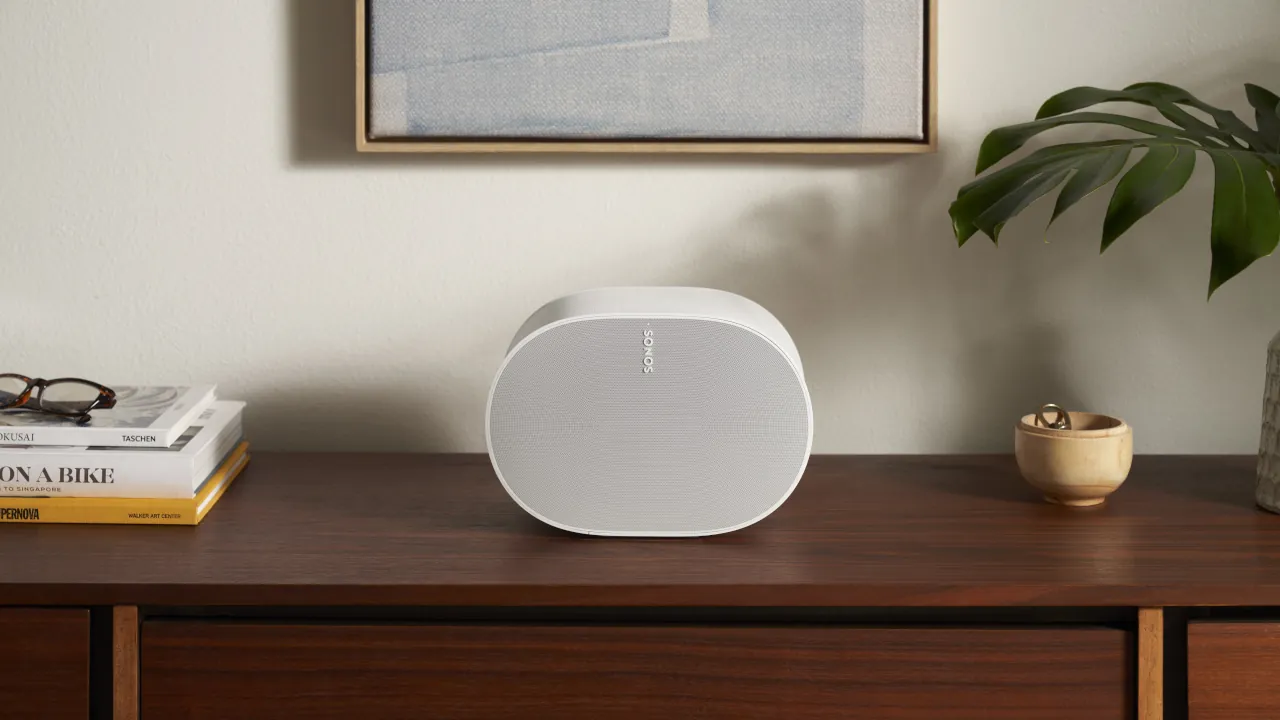
The Sonos Era 300 sits alone at the top of this comparison. Six drivers, four tweeters and two woofers, fire sound forward, sideways, and upward, enabling genuine Dolby Atmos spatial audio rather than a marketing label on a single-driver speaker. It carries Wi-Fi 6, Bluetooth 5.3, and the option to later serve as a rear surround speaker for a Sonos Arc or Beam soundbar.
Pros:
- Dolby Atmos spatial sound moves audio around the room
- Doubles as a home theater surround speaker later
- Six-driver design fills large rooms without extra subs
Cons:
- Full Atmos benefit needs an Amazon Music or Apple Music subscription
- Sits well above every other pick in this guide on price
- The most immersive experience only arrives with two or more units
This tier fits a dedicated media room, a household already inside the Sonos system, or anyone planning a full Atmos home theater and wanting the flexibility to start with standalone speakers now.
No Google Cast speaker currently competes at this level. A Google household wanting Atmos would need to step outside multi-room speakers entirely and look at a soundbar.
Where Samsung Fits
Samsung does not currently make a dedicated multi-room speaker to compete at any tier here, since its closest product, the Music Frame, is built primarily as a single-room or TV companion speaker rather than a true whole-home audio system.
Building the Right Wi-Fi Foundation First
Every tier above depends on a stable Wi-Fi signal, and a weak network causes far more dropouts than any speaker’s own hardware. Before adding several multi-room speakers to a home, it is worth confirming the router can handle the extra devices. The mesh Wi-Fi vs standard routers guide breaks down when a mesh system actually earns its cost over a standard router.
Which Budget Tier Actually Fits Your Home
An entry-tier Echo Dot answers a simple need at almost no cost, and the choice between Alexa, Google, and Apple mostly comes down to which assistant already runs the rest of the house. Stepping into the mid-tier trades a little cash for real stereo sound, whether that means Sonos flexibility or deeper Apple integration. The Era 300 is for a household ready to treat sound as part of the room itself, not just something playing in the background. Matching the tier and the ecosystem to how the home already works matters more than chasing the most expensive option available.
Image Credit: Sonos (Lifestyle image)



